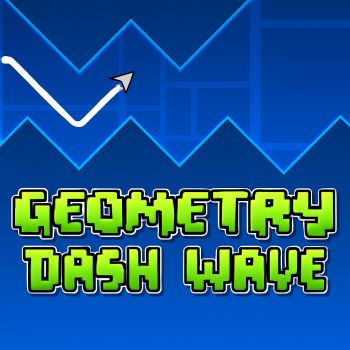
Geometry Dash Wave 3d
 Mope Io
 Stumped
 fortune cookie
 Fly Car Stunt 4
 On On Dash
 Mountain Bike Xtreme
 Level Devil
 Tap Tap Shots
 Slope Run
 Geometry Dash Breeze
 Geometry Dash Lite 3D
 Capybara Clicker
 Color Maze Puzzle
 Geometry Dash Bloodbath
 Only Up 3D Parkour Go Ascend
 Bolly Beat
 Knife Smash
 Geometry Dash Meltdown 3D
 Elastic Man
 Geometry Dash Breeze 3D
 8 Ball Billiards Classic
 Cubes 2048
 Temple Run 2: Frozen Shadows
 Running Fred
 Monster Truck Crazy Racing 2
 Basketball Master
 Fish Eat Fish
 Rocket Bot Royale
 Sniper Strike
 Bee Connect
 Swerve Game
 Bouncy Blob Race: Obstacle Course
 Draw Climber
 Protect My Dog 2
 Noob Vs Cops
 Helix Jumping
 Jingle Juggle Merge
 Thumb Fighter
 Tomb Of The Mask
 FullSpeed Racing
 Bridge Race 3D
 FlyorDie.io
 EvoWars.io
 Rooftop Snipers
 Diep.io
 Pizza Tower
 Temple Run 2: Holi Festival
 Sky Race 3D
 Duck Life
 Scary Brawl
 Fish Eat Getting Big
 ZombsRoyale.io
 Shell Shockers
 Super Stunt Car 7
 Super Mario Wonder
 Lazy Jump Online
 Block Puzzle
 Merge Cakes
 Bottle Jump
 Crazy Caves
 Zrist DX
 Idle Money Tree
 Stand And Shoot Zombies
 Get On Top
 Zombie Island 3D
 Chess Classic
 Kitty Rush
 Tube Master
 Badland
 Ragdoll Mega Dunk
 Skibidi StickBloons
 Bad Piggies HD 2
 Air Hockey Cup
 Doomsday Shooter
 Arctic Pong
 X Trench Run
 Bad Ice-Cream
 Alien Cubes
 Flip Ninja
 Ninja Climb
 Diamond Rush
 2048 Giant
 Domino Battle
 Mushroom Forest Adventure
 Soul And Dragon
 Om Nom Bounce
 The Wall
 Fish Love
 Death Run 3D
 Cricket Hero
 Daily Sudoku
 My Space Pet
 Doodle Arena
 Tebo
Tebo
 Bubble Woods
 Geometry Dash Lite
 Dices 2048 3D
 Pirate Pop
 Diwali Lights
 Smash Karts
 Skiing Fred
 Geometry Vibes
 Geometry Dash Spam
 Geometry Dash World
 Geometry Dash Scratch
 Geometry Dash Subzero 3D
Geometry Dash Wave 3d – An In Depth Look
Geometry Dash Wave 3d brings the fast paced rhythm platforming experience that fans of the series love into a fresh three dimensional environment. The title builds on the core mechanics of timing and precision while adding depth that changes the way players perceive obstacles and pathways. This article explores the visual style, the feeling of movement, and practical advice for newcomers and seasoned players alike.
What Sets Geometry Dash Wave 3d Apart
Three Dimensional Perspective
The most obvious evolution is the shift from a flat plane to a three dimensional space. Levels are designed to rotate, tilt and shift, giving the player a sense of motion that feels both familiar and new. The camera follows the icon as it travels along a winding track, and the depth of the world creates moments where timing must account for changes in perspective.
Dynamic Wave Mechanics
The wave element introduces a flowing motion that blends with the traditional jump and fly actions. Instead of a static platform, the path moves like a sine wave, requiring the player to sync movements with the rhythm of the music. This synergy between sound and visual motion is a hallmark of the Geometry Dash brand and is amplified in this three dimensional version.
Visual and Audio Design
Bright neon colors dominate the environment, and each level is paired with a soundtrack that matches the tempo of the obstacles. The audio cues act as a guide, helping players anticipate upcoming spikes, gaps or rotating sections. The combination of vibrant graphics and pulsing beats creates an immersive experience that keeps the adrenaline high.
Getting Started and Practical Guidance
Understanding the Core Loop
The basic loop involves guiding the icon along a continuous path while avoiding hazards. The icon moves automatically, and the player must tap or press at the right moments to jump, fly or slide. Mastery comes from learning the rhythm of each segment and reacting with precision.
Developing a Rhythm Sense
Because the level design is tightly bound to the music, listening carefully to the beat can dramatically improve performance. Players should start each attempt by listening to the track without worrying about perfect execution. Identify the moments where the music rises or falls, as these often correspond to changes in obstacle patterns.
Practice Strategies for New Players
- Begin with the easiest levels to become comfortable with the three dimensional camera movement.
- Focus on one section at a time. Replay a short segment repeatedly until the timing feels natural.
- Use the pause function, if available, to study the layout of complex sections before attempting a full run.
- Maintain a steady breathing rhythm that matches the music. This helps keep the mind calm and the reactions sharp.
Improving Consistency
Consistency is built through repetition. Players who invest time in memorising the sequence of spikes and rotating platforms will see a steady increase in success rates. It is also helpful to watch community videos that showcase successful runs, as these can reveal subtle timing tricks that are not obvious at first glance.
Community and Replay Value
Geometry Dash Wave 3d benefits from an active community that creates custom levels and shares strategies on forums and video platforms. The level editor, if present, allows players to design their own wave tracks, extending the lifespan of the game far beyond the built in stages. The competitive nature of achieving higher scores and faster completion times encourages repeated play.
Because each level is tied to a unique soundtrack, players often return to favorite tracks to perfect their runs. The satisfaction of shaving seconds off a personal best or finally conquering a particularly challenging wave segment provides a strong incentive to keep playing.
Frequently Asked Questions
Is Geometry Dash Wave 3d suitable for beginners?
Yes the game offers introductory levels that teach the basic timing and wave mechanics. New players can start with these simpler stages before moving on to more demanding tracks.
Do I need a controller to play?
The game can be played with a keyboard or touchscreen input. The essential action is a single tap or press that triggers a jump or fly, so any standard input method works.
How can I improve my reaction time?
Practising with the rhythm of the music is the most effective method. Repeating short sections, focusing on breathing patterns, and watching experienced players can all help sharpen reflexes.
Are there hidden secrets or easter eggs?
The developers have placed subtle visual cues and optional pathways in several levels. Exploring off the main track may reveal alternate routes or special visual effects that add an extra layer of enjoyment.